LapBeeps

RC lap timing for clubs & friendly events
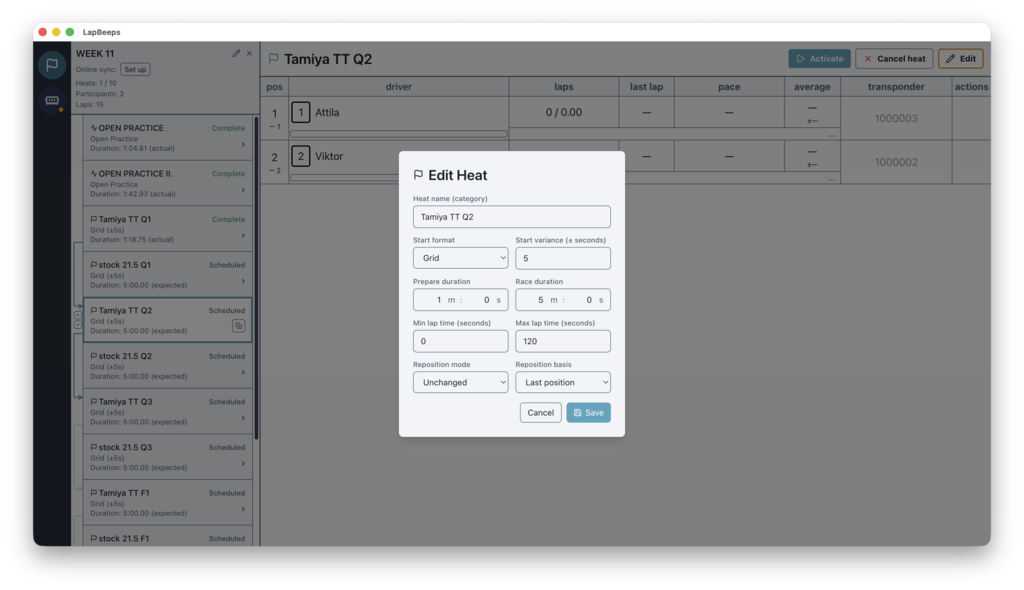
Meet LapBeeps

RC car at the track
RC car racing
RC car on track
RC racing action
RC car detail
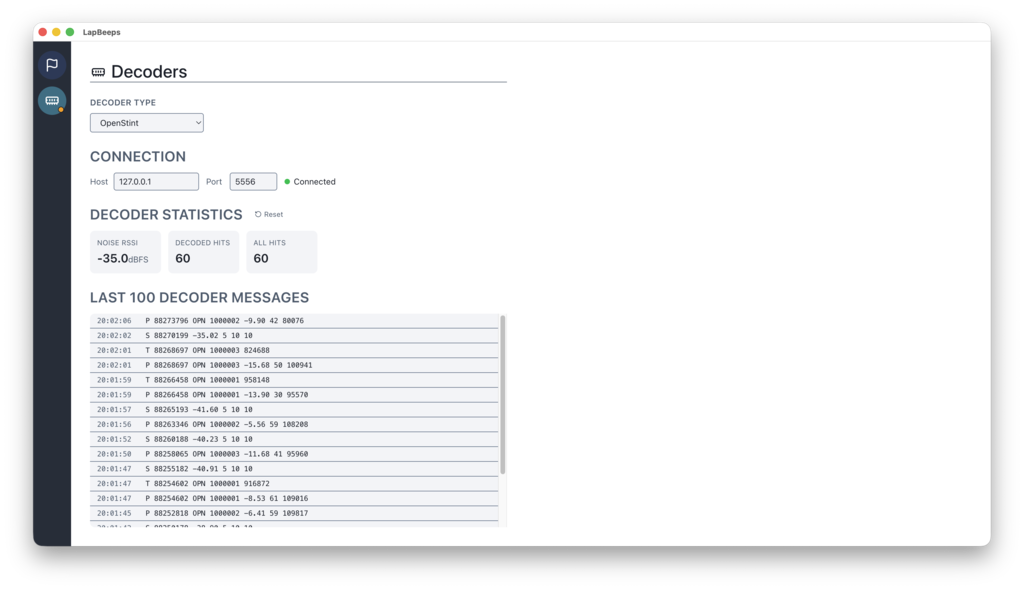
Decoder Setting
LapBeeps application icon
Download free
(desktop application)
WindowsmacOSLinuxRaspberry Pi
All downloads — Intel Macs, every platform →

Tracks online

These tracks are online right now.

A track page is a permanent address for your club. Stints, personal lap pages for every driver.

Always on

Leave a Raspberry Pi at the track.

We publish a headless version of the application. With a Raspberry Pi, an RTL-SDR and OpenStint, clubs and track owners can build an appliance: a timing setup that is always online, draws almost no power, and is cheap enough to leave at trackside for good.
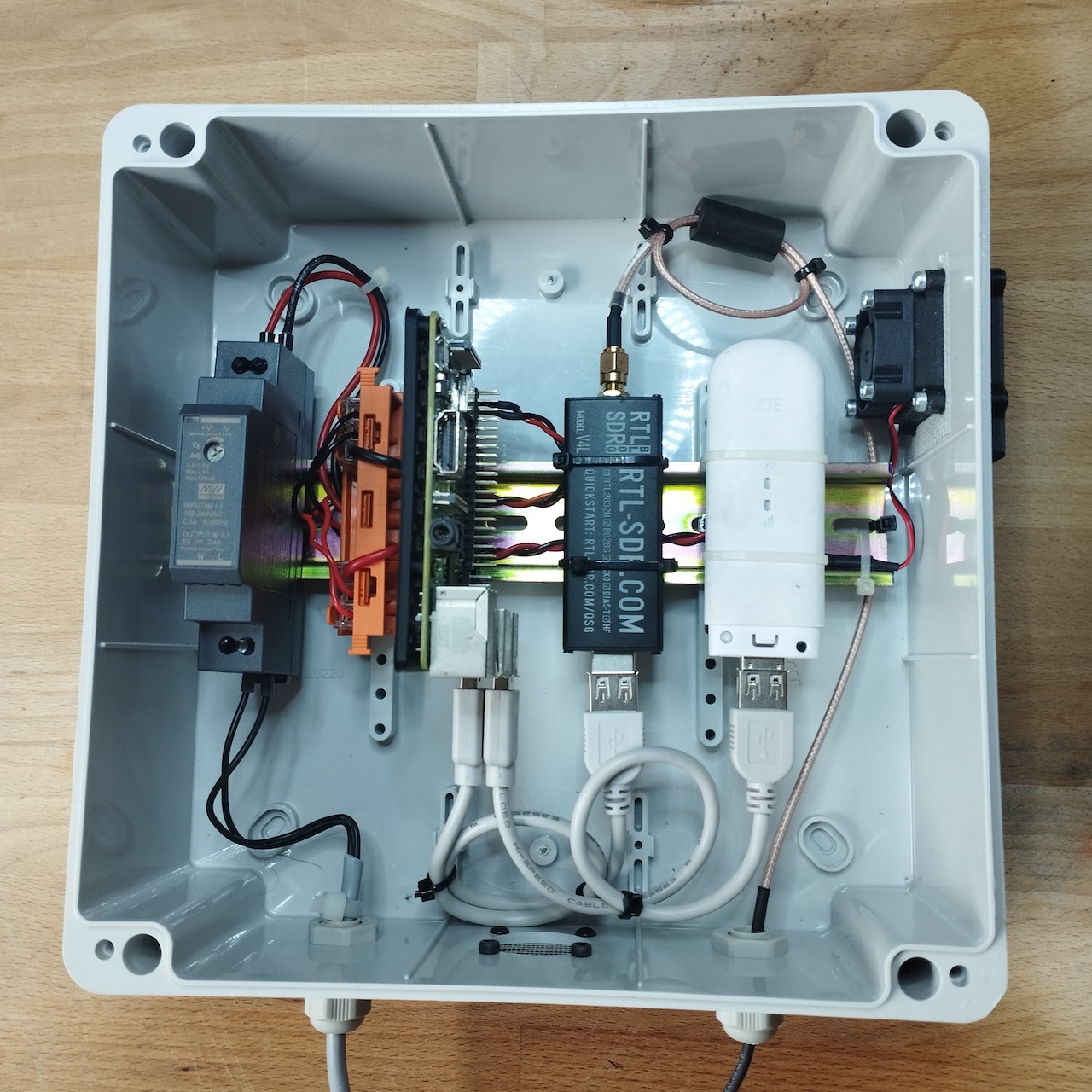
  • No desktop environment needed — it runs headless on the Pi.
  • Setup happens in a web interface, from any browser on the network.
  • Practice runs stream online on their own, with nobody operating a laptop.
Raspberry Pi timing appliance set up trackside

Hardware

We support your decoder.

Bring what you have. LapBeeps speaks the protocols of the most popular RC decoder systems — open-source or commercial — including OpenStint, LapMonitor, RCHourGlass, MyLaps, EasyLap and ZRound.

Open source. Seriously affordable.

LapBeeps is built from day one to work with OpenStint, the open-source transponder decoder system. A laptop, an SDR dongle, a couple of transponders, and you have professional-grade timing for under a hundred dollars.
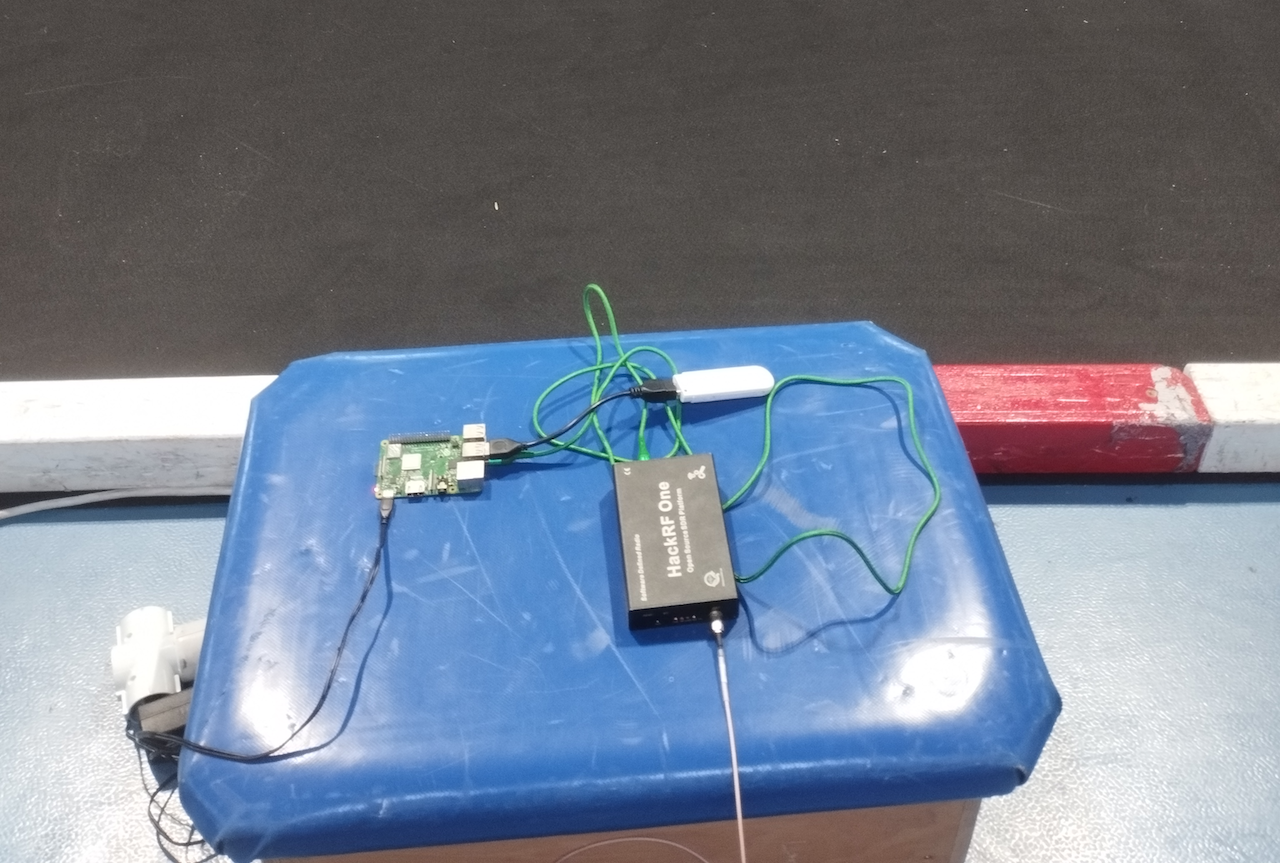
  • ✓RTL-SDR-based decoder — build from off the shelf components
  • ✓Complete timing setup under $100
  • ✓Open source
  • ✓AMB/MyLaps transponder support
  • ✓Same author builds both LapBeeps and the OpenStint decoder

Capabilities

The long list.

Everything the software does, grouped — from the always-on track page down to the setting that stops a lingering transponder from counting a lap.

Track mode

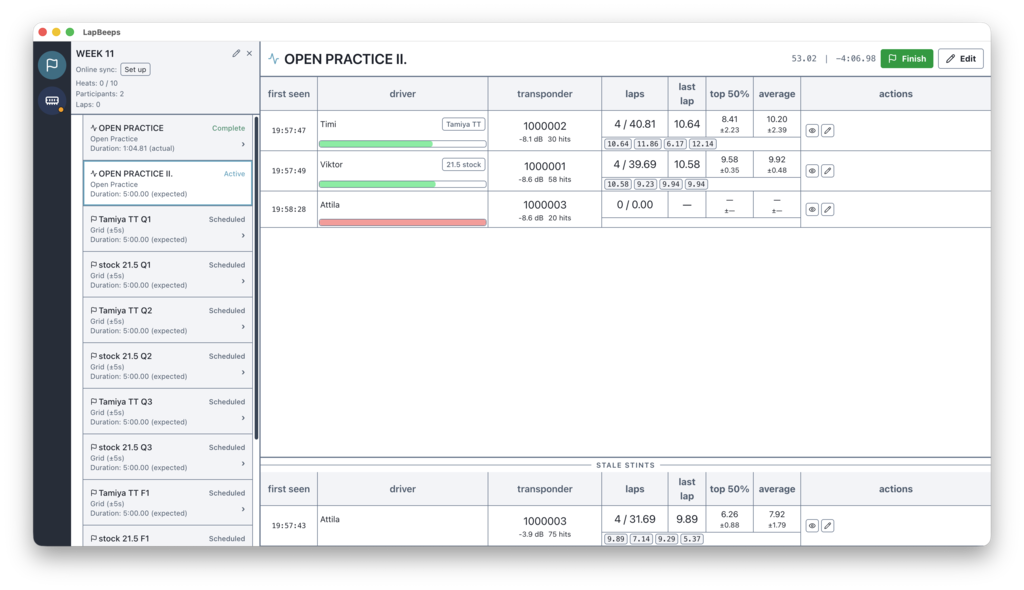
  • Always on — the app starts here, with no meeting to create; drivers just drive
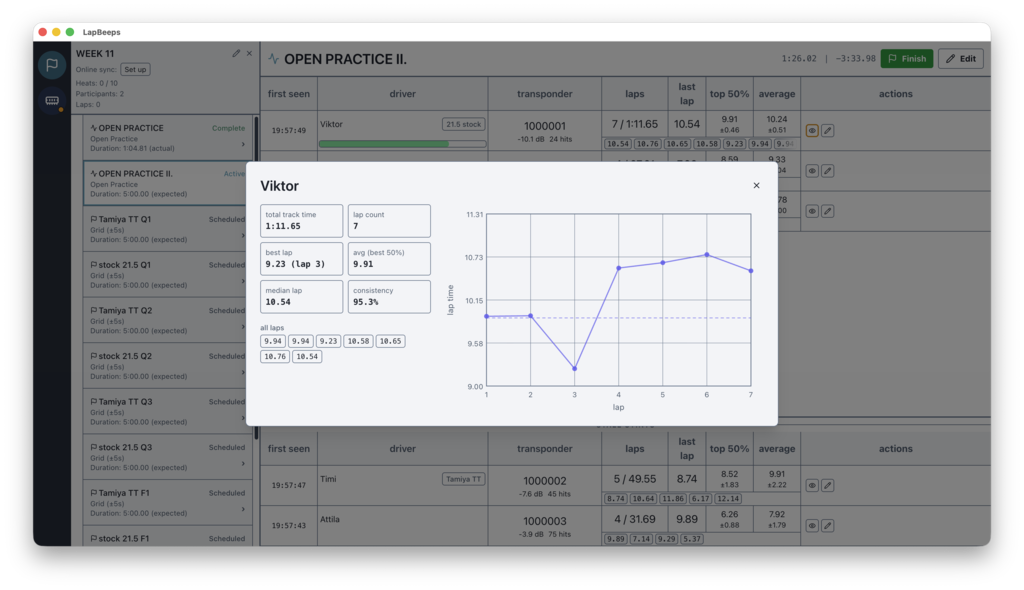
  • Automatic stints — a stint opens on the first passing and closes when the driver stops
  • Practice limits — time- or lap-limited per stint, with a resting period in between
  • Public track page — your club's own address at lapbeeps.com/~yourtrack
  • Practice history — past sessions listed on the track page, stint by stint
  • Driver logbook — private notes and setup per stint, carried forward to the next
  • Setup comparison — colour the lap-time distribution by any setup parameter
  • Benchmarks — personal best, category best and previous stint on every chart
  • Headless appliance — runs on a Raspberry Pi with no screen attached

Competitions

  • Qualifiers and finals — any number of rounds, in one sequence
  • Points scoring — EFRA, IFMAR and BRCA compatible, with dropped rounds and ordered tie-breakers
  • Bump-ups — top finishers of each final get a second chance a group up
  • Group sizing — min and max per group; oversized rounds split themselves
  • Drag-and-drop schedule
  • Run order — one competition at a time, or mixed through the day
  • Placement — append, insert after, or interleave with another competition
  • Copy a competition — structure, formats, seeding and group sizing, minus the drivers
  • Meeting templates — model a new meeting on last month's
  • Quick heats — a standalone heat, plus follow-ups seeded from the one before

Seeding

  • Initial seeding — registration order, or the result of a linked open practice
  • Seeding basis — position, result, best lap, top-3 average or top-3 consecutive
  • Direction — fastest drivers first or last
  • Group stacking — fill the top groups first, or spread the pace evenly
  • Re-seeding — never, before the second round, or before every round
  • Scope — re-rank across the field, across groups, or within each group
  • Rounds window — score the last few rounds and drop the worst
  • Manual seeding — turn it all off and place drivers by hand

Starts and session control

  • Grid start — countdown with audio warnings
  • Staggered start — fixed release gap, triggered automatically, on a passing, or by hand
  • Rolling start — a flying start after formation laps; crossing before the tone sends the field round again
  • Random delay — the tone moves within a range so nobody can anticipate it
  • Clock start — at the tone, or at the driver's first crossing
  • Limit mode — race to a time, to a lap count, or whichever comes first
  • Warm-up — with a transponder check that names whoever is still missing
  • Hold for missing transponders — pauses the clock instead of starting without someone
  • Lap-time bounds — min rejects noise, max marks DNS and DNF

Live timing

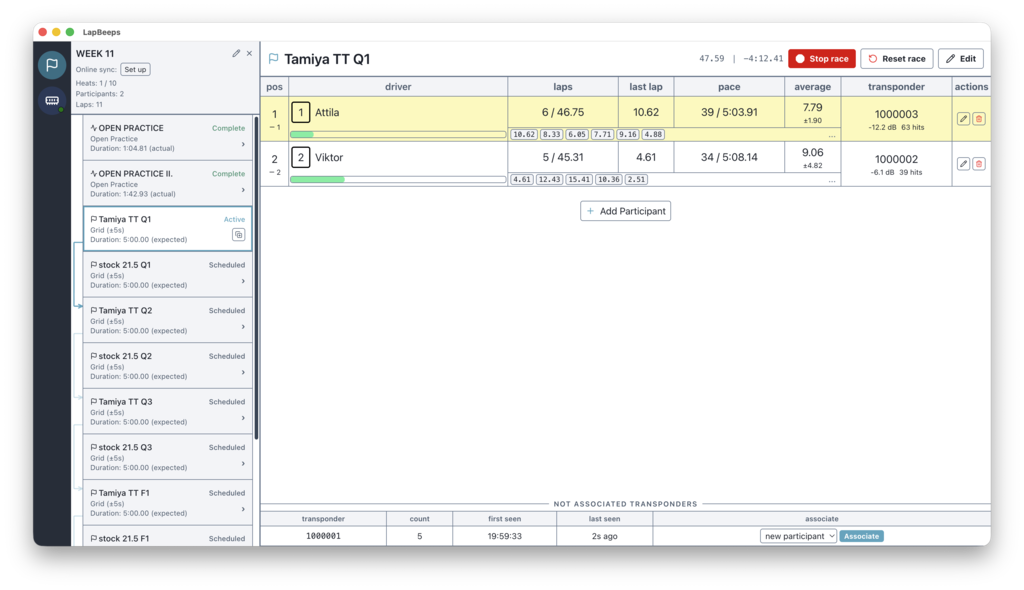
  • Classification — position, gap to leader, gap ahead, best, last and pace
  • Track diagram — cars placed around the loop, in your track's direction
  • Battle panel — who is closing, who is defending
  • Per-driver stats — top-3 average, top-3 consecutive, P80 average, median, consistency
  • Charts — gap to leader, lap distribution, position progression

When things go sideways

  • Manual passing — keyboard shortcuts bound per driver, for a dead transponder
  • Lap adjustments — add or remove a lap from a driver
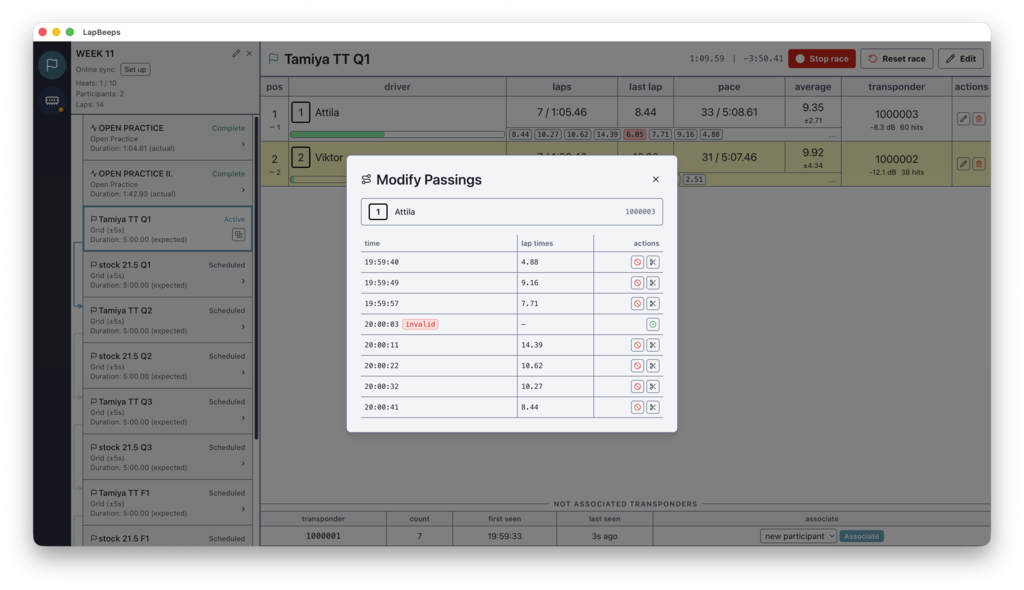
  • Split a passing — insert a lap the decoder missed
  • Merge a passing — remove a lap that was counted twice
  • Invalidate a passing — without deleting it
  • Mid-race passing editor — with hit count and signal strength per passing

Announcements

  • Editable templates — every callout, with placeholders for driver, lap and time
  • Driver call-out — by name or by bib number
  • Lap times — in tenths or hundredths
  • Positions — live during a heat, and the full order afterwards
  • Blue flags — a few seconds before the faster driver arrives
  • AI commentator — live heat commentary in a persona you write, for meetings streamed online
  • Countdowns — minute marks, 30-second and 10-second calls
  • Transponder check — all detected, or who is still missing
  • Practice callouts — stint opened, limit reached, rest over
  • Voices — any system voice, adjustable rate, nine languages

Online

  • Live meeting dashboard — a public URL and QR code for the whole event
  • Championship manager — each meeting a round, with classes, points tables and best-rounds counting
  • Online registration — with an entry limit and a waitlist
  • Import registrations — pulled straight into the roster
  • Listed or unlisted — findable from the homepage, or link-only
  • Mobile driver pages — every driver gets their own lap page

Drivers and data

  • Local driver database — transponder, name, nick, bib, category, notes
  • Auto-fill — a known transponder brings its driver into the next session
  • CSV import — with a per-row preview before anything is added
  • CSV export — edit the roster in a spreadsheet and re-import it
  • Excel export — a sheet per heat
  • Plain files — one folder per meeting, on your own disk

Reports and printing

  • Heat report — results, lap times and three charts
  • Practice report — stint by stint, per driver
  • Seeding sheets — per round, for the pit board
  • Competition results — qualifiers and finals, scored
  • Schedule — printed straight from the app
  • Meeting flyer
  • A4 or Letter

Screens and integrations

  • TV scoreboard — a second fullscreen window for the clubhouse
  • OBS overlay — a transparent browser source that stays in your scene
  • Overlay over the network — so OBS can run on a second machine
  • ZMQ publisher — live timing events for external leaderboards
  • Decoders — OpenStint, MyLaps, RC Hourglass, AMBRc, I-Lap, EasyLap, ZRound, LapMonitor
  • Decoder health — timing accuracy, noise floor, temperature, voltage

Pricing

Paid plans for serious races and busy clubs.

The full application is a free download, with no driver, race or decoder limits. You pay only if an online race meeting outgrows the free limit, or your track wants a longer practice history and member self-service.

The application
Windows · macOS · Linux · Raspberry Pi
Free
no account, no trial, no expiry
  • ✓The full app, with no driver, race or decoder limits
  • ✓Export results to Excel and PDF, ready to share
  • ✓Practice mode and race mode
  • ✓Audio announcements — hit one button and go racing, the rest runs itself
  • ✓Flexible scoring, automated seeding and an editable timetable
Online, free within limits
  • ✓Online race meetings: up to 4 hours of track time each
  • ✓Register your track and keep it online, with practice data kept for 2 weeks
Download LapBeeps
Pay only if you need more

Running a large race meeting?

€5/ race meeting
one-time · plus applicable tax

Keeps a race meeting online past the free 4 hours of track time. Offline, race meetings are never limited.

Want more from your track?

€13/ month
bulk discounts · per track · prepaid, no auto-renewal · plus applicable tax
  • ✓Every race meeting at your track goes online with no €5 fee
  • ✓Practice data kept for 2 years, instead of 2 weeks
  • ✓Self-service: members edit their own data and invalidate a bad stint themselves

FAQ

Common questions