 LapBeepsLapBeeps
LapBeeps is lap timing software that reads your EasyLap decoder over USB. Time Mini-Z practice and race days on Windows, Mac, Linux or a Raspberry Pi — the zRound alternative that isn't tied to Windows.
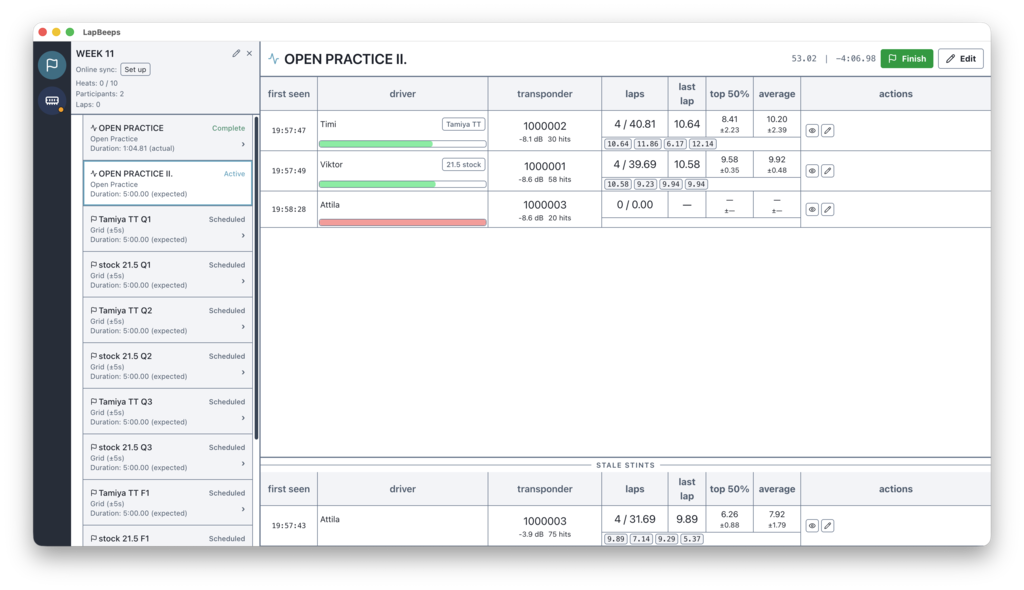

Setup
No COM port, no driver, no configuration file. If your EasyLap is plugged in, you're five minutes from timing.
Get the free desktop app for Windows, macOS or Linux from the download section below and install it on the laptop at the track.
Plug in the EasyLap USB interface. In LapBeeps, open Decoders and select EasyLap. There's no COM port to pick and no driver to install — it's found automatically and the connection light turns green.
Drive a lap and the passing shows up. Time open practice straight away, or set up a race meeting with qualifiers, finals and spoken lap times.
No laptop at the track? Plug the EasyLap into a Raspberry Pi running LapBeeps and run the whole meeting from a tablet.
zRound alternative
zRound is a capable free program, and plenty of Mini-Z clubs are happy with it. If you're looking for zRound on a Mac, on a Raspberry Pi, or simply something newer, here's how the two line up.
| Feature | zRound | LapBeeps |
|---|---|---|
| Runs on | Windows | Windows, macOS and Linux |
| Raspberry Pi | Not available | Headless appliance — no laptop, run it from a phone or tablet browser |
| EasyLap support | Yes | Yes — plug in the USB interface, it's found automatically |
| Price of the software | Free (donations welcome) | Free |
| Heats and finals | Yes | Yes, with EFRA, IFMAR and BRCA compliant scoring and tie-breakers |
| Spoken announcements | Yes | Yes — editable callouts, any system voice, nine languages |
zRound details from zround.com, November 2026.
Switching costs you nothing in hardware: keep your EasyLap, your loop and your transponders, and bring your driver list over as a CSV file.
EasyLap + LapBeeps
Each EasyLap passing comes in with its hit count and signal strength. Spot the weak transponder or the badly placed bridge before it costs someone a lap.
Track mode needs no session to create. Drivers just drive: stints open on the first passing, close when they stop, and land in their history.
Practice streams to your own page at lapbeeps.com/~yourtrack. Racers check their laps on their phones — no app to install.
Qualifiers, finals, bump-ups, re-seeding, grid, staggered or rolling starts, and a printed schedule for the pit board.
A private logbook per stint, and lap-time charts you can colour by any setup parameter — tyres, motor, gearing, springs.
A fullscreen TV scoreboard for the clubhouse and a transparent OBS overlay for your live stream.
That's the short version. The full feature list is on the homepage.
FAQ
/etc/udev/rules.d/60-easylap.rules containingSUBSYSTEM=="hidraw", ATTRS{idVendor}=="10c4", ATTRS{idProduct}=="86b9", TAG+="uaccess"then unplug and replug the decoder. The Raspberry Pi appliance does this for you.